Widgets reference
swsd-mcp ships seven interactive UI bundles using the MCP Apps capability (SEP-1865). Each one is a single-file HTML resource served at ui://swsd-mcp/<widget-name> with content type text/html;profile=mcp-app. When a tool with an attached widget is called from an MCP Apps-capable host, the host renders the bundle alongside (or in place of) the structured-content text response. Hosts without MCP Apps support are unaffected: the same tools still return their normal text + structured output, and the _meta.ui.resourceUri advertisement is silently ignored.
All widgets are self-contained. No external network access, no third-party scripts. HTML coming from SWSD (solution bodies, incident descriptions, comment bodies, catalog helptext) is sanitized client-side via DOMPurify before insertion. Theme variables and host fonts are applied via the SDK’s applyHostStyleVariables / applyDocumentTheme / applyHostFonts helpers, so widgets follow the host’s light/dark mode and font settings automatically.
Widget catalog
Section titled “Widget catalog”| Widget | Tool(s) | What it renders |
|---|---|---|
incident-detail |
swsd_get_incident |
Single-incident card with description, due date, SLA, resolution, custom fields. |
solution-detail |
swsd_get_solution |
Single-solution card with full sanitized HTML body, attachments, audits, statistics. |
incident-list |
swsd_list_incidents, swsd_list_my_incidents |
Sortable, filterable, scrollable table of incidents. |
comment-thread |
swsd_list_incident_comments |
Vertical comment thread with author chips, timestamps, public/private badges. |
audit-timeline |
swsd_get_record_audits |
Vertical audit-log timeline grouped by day with action chips and field diffs. |
catalog-item-form |
swsd_get_catalog_item |
Renders catalog variables as a form; submits via swsd_create_service_request. |
custom-fields |
swsd_describe_custom_fields |
Searchable explorer with scope/module filters and per-field detail panel. |
How widgets are loaded
Section titled “How widgets are loaded”1. Tool handler returns content + structuredContent + _meta.ui.resourceUri2. Host fetches the resource via resources/read on resourceUri3. Host opens the inlined HTML in a sandboxed iframe4. Widget calls App.connect(): runs ui/initialize → ui/notifications/initialized5. Server pushes the same structuredContent via ui/notifications/tool-result6. Widget's toolresult listener renders the dataSteps 4–6 run over JSON-RPC postMessage between the host and the iframe. The widget never touches the network.
Error handling
Section titled “Error handling”All seven widgets handle isError: true tool results. Instead of an infinite “Loading…” spinner, they render a clear error state showing the tool’s error message. This is the v2.1 fix for the v2.0 bug where tool errors silently spun forever.
Per-widget detail
Section titled “Per-widget detail”The screenshots below are rendered with synthetic example data (“Acme Corp”). The harness lives at
screenshots/host-mock.html: runnpm run buildthen serve the worktree over a local HTTP server to regenerate them. No real SWSD tenant data appears anywhere on this site.
incident-detail
Section titled “incident-detail”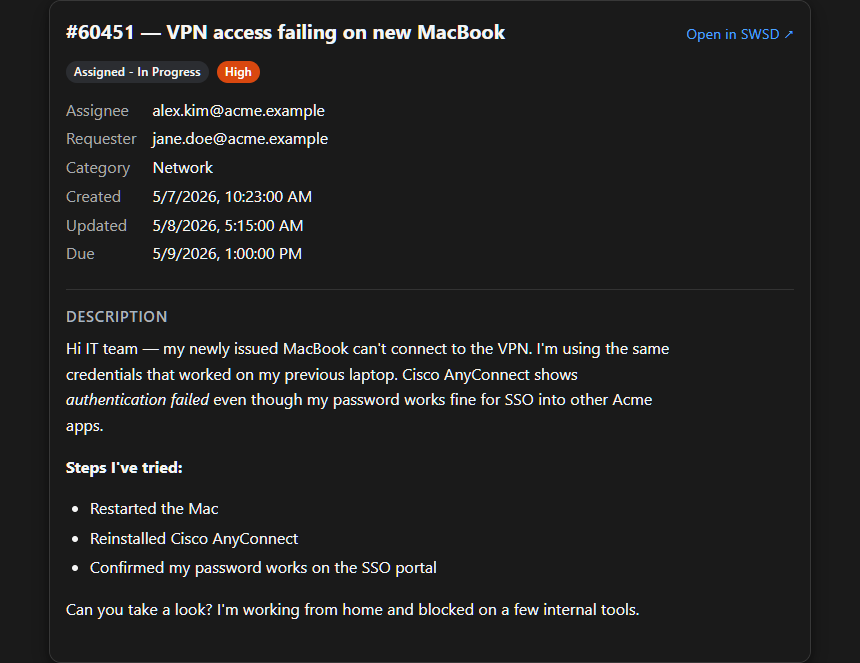
Light theme: incident-detail-light.png
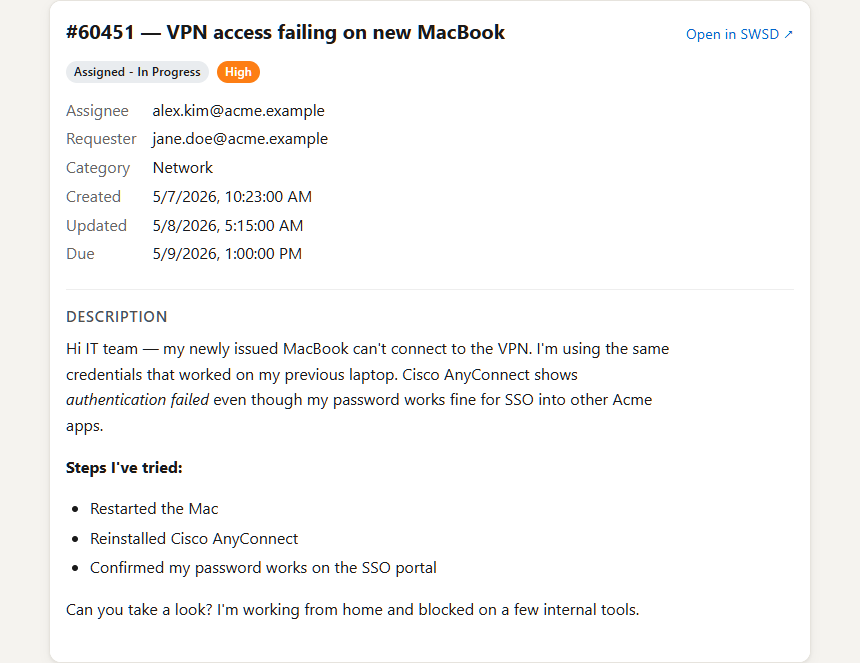
Bound to swsd_get_incident. Card layout: header (id, name, state badge, priority chip), metadata grid (assignee, requester, category, site, department, created date, due date with Overdue chip when in the past), description (sanitized HTML), SLA section (response/resolve violations counts when present), resolution section (resolution body when set, only on resolved/closed incidents), and a custom fields table.
Pass detail_level: "long" to populate description, SLA, and resolution from ?layout=long.
solution-detail
Section titled “solution-detail”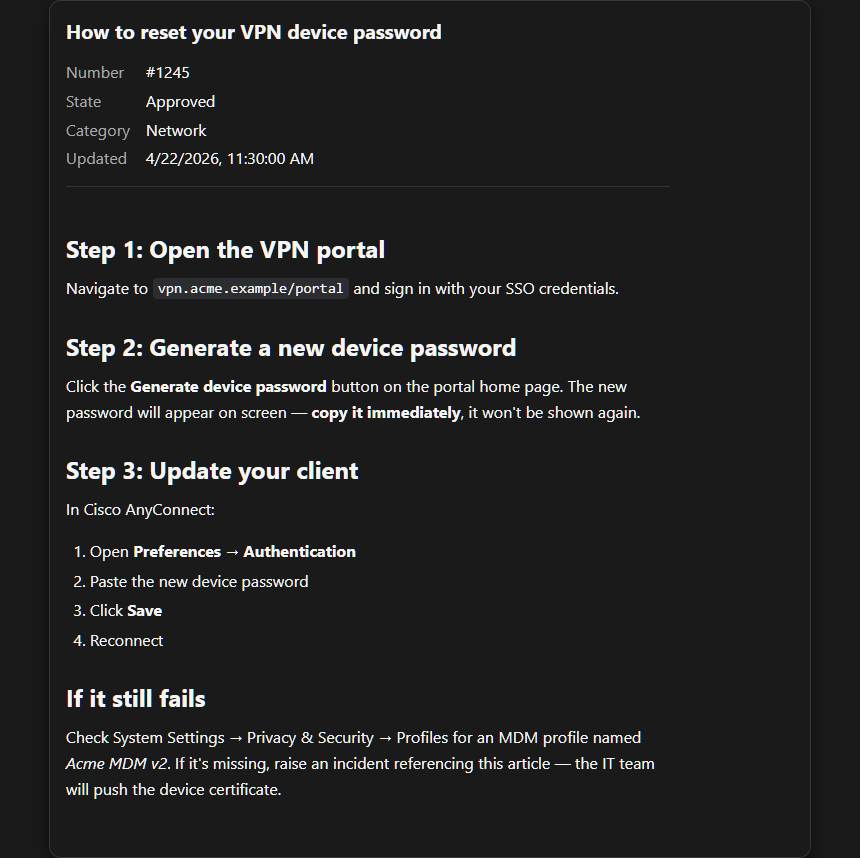
Light theme: solution-detail-light.png
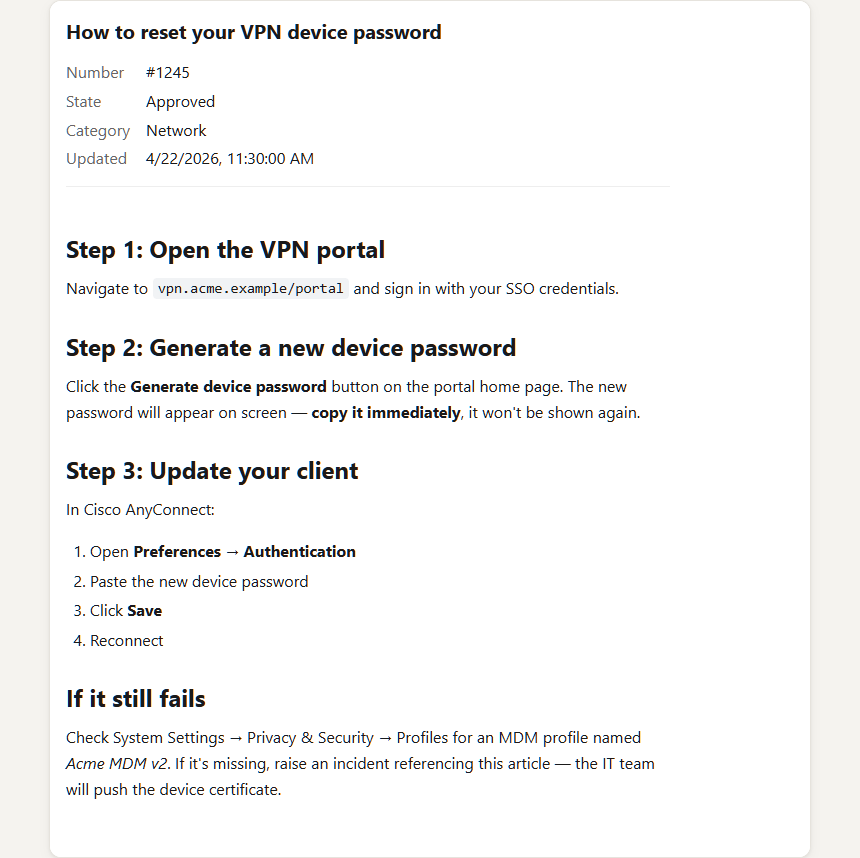
Bound to swsd_get_solution. Card layout: header (id, name, state, category), metadata strip (author, created/updated dates, view count), and the full sanitized HTML body of the article rather than an excerpt. This was the v2.1 fix for the v2.0 widget that only showed a teaser; the whole reason an agent opens a KB article is to read it.
incident-list
Section titled “incident-list”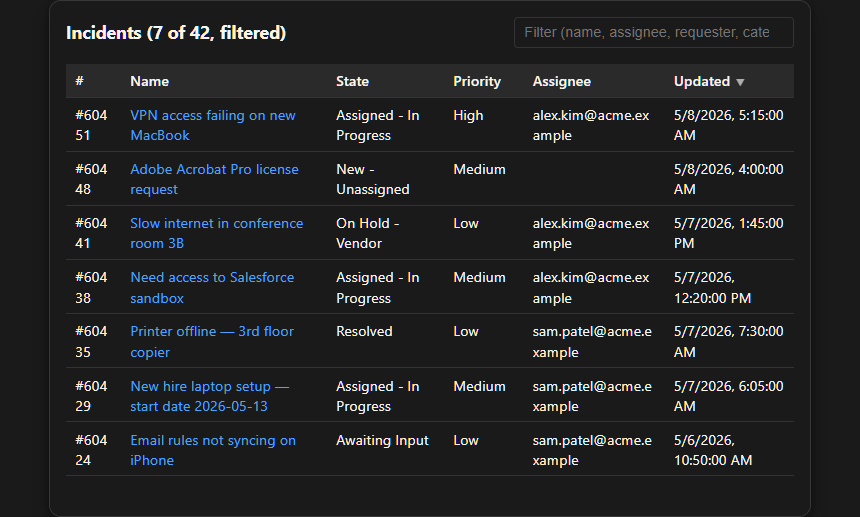
Light theme: incident-list-light.png
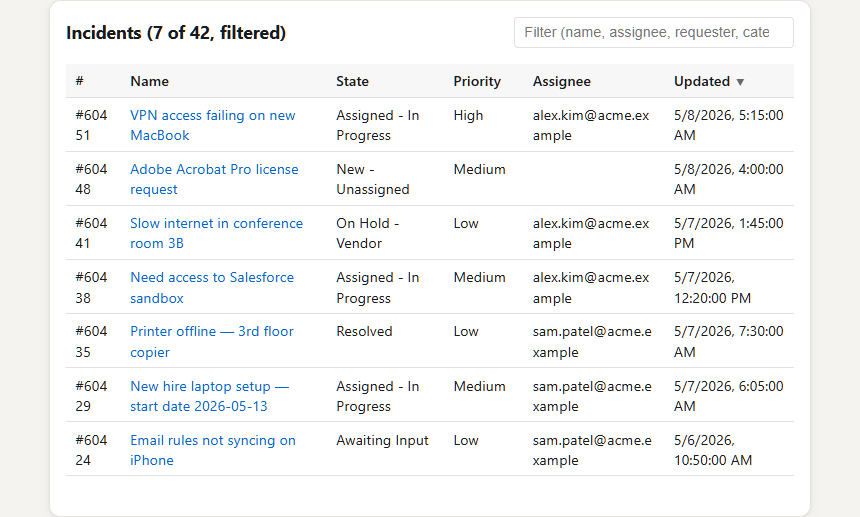
Bound to both swsd_list_incidents and swsd_list_my_incidents (the latter auto-resolves the JWT user’s email as assignee_email). Table columns: id, name, state, priority, assignee, updated_at. Sortable headers (click to toggle, ▲/▼ indicator + aria-sort on the active column). Wrapped in an overflow-x: auto container so the 6-column table scrolls instead of clipping at narrow viewports (<560px).
Pagination chip in the footer shows page X of Y matching your filters (when pagination.total_scope === "filtered") or page X of Y tenant-wide (when "tenant"), driven by the v2 applied_filters echo + total_scope discriminator.
comment-thread
Section titled “comment-thread”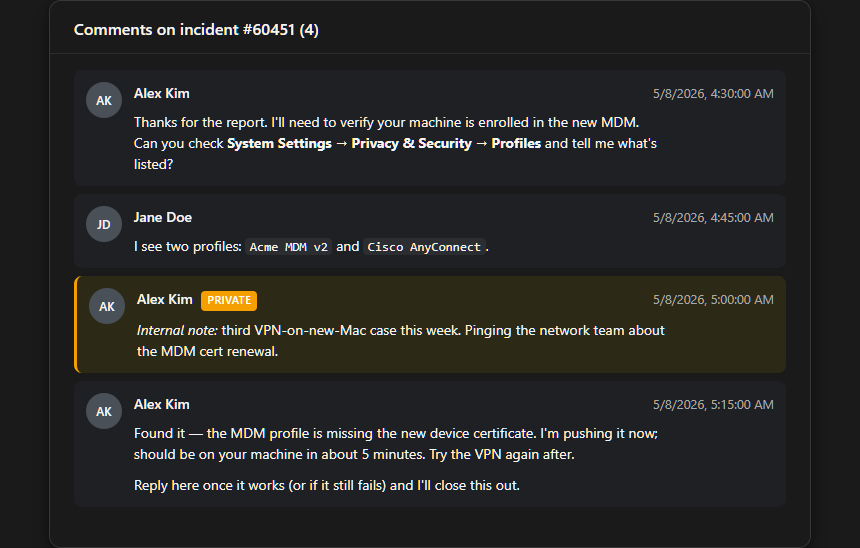
Light theme: comment-thread-light.png
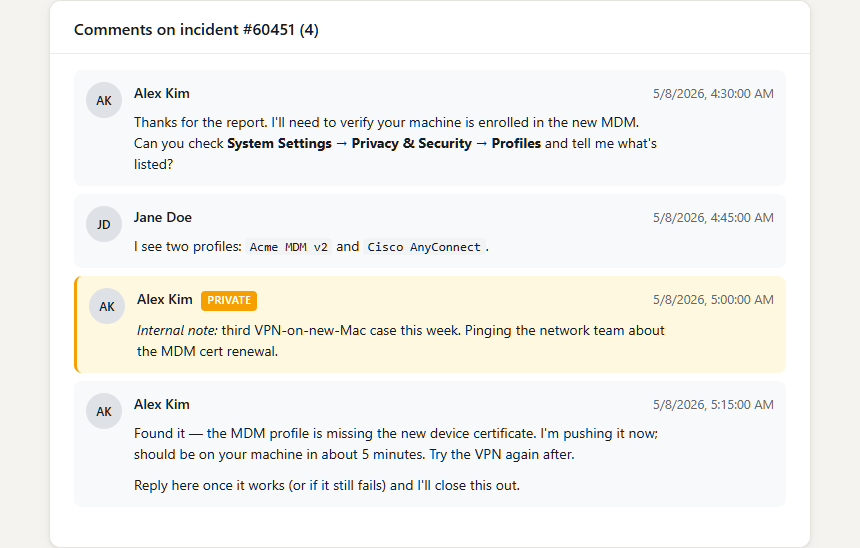
Bound to swsd_list_incident_comments. Vertical list of comment cards. Each card has an author chip (avatar + name), timestamp, public/private badge, and the sanitized HTML body. Internal comments are visually distinguished with a left-border accent.
audit-timeline
Section titled “audit-timeline”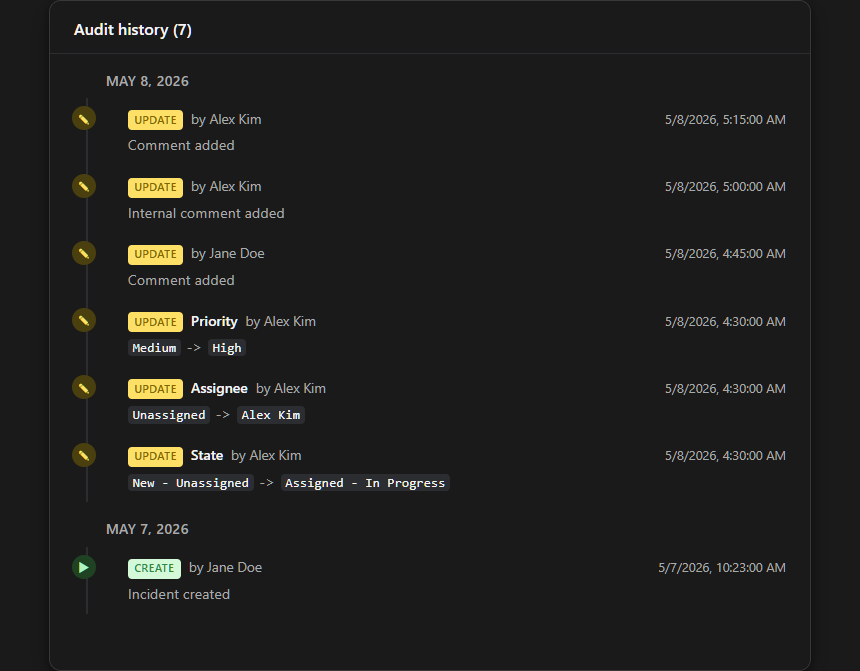
Light theme: audit-timeline-light.png
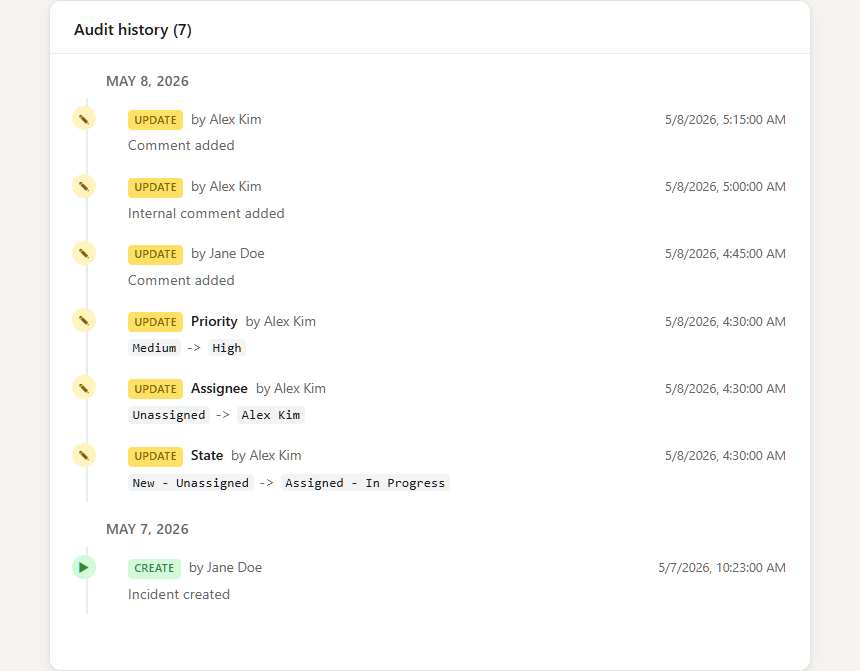
Bound to swsd_get_record_audits. Vertical timeline grouped by day. Each day section has a date header, then a list of audit cards: action chip (Update/Create/Delete), human-readable message (e.g. “State changed from New to Assigned”), the user who performed it, and the timestamp. Field-level diffs are rendered as before → after pairs when SWSD provides them.
catalog-item-form
Section titled “catalog-item-form”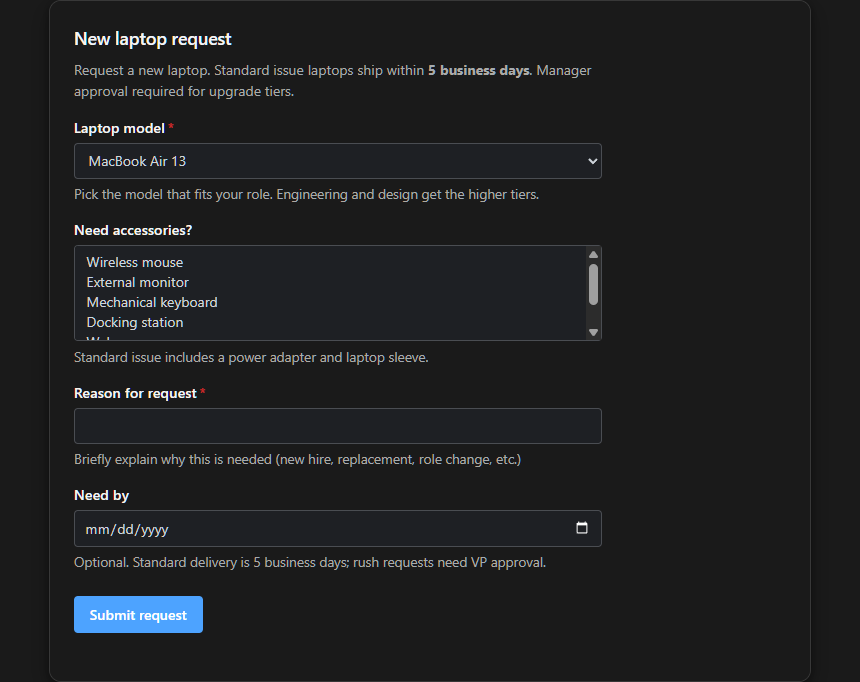
Light theme: catalog-item-form-light.png
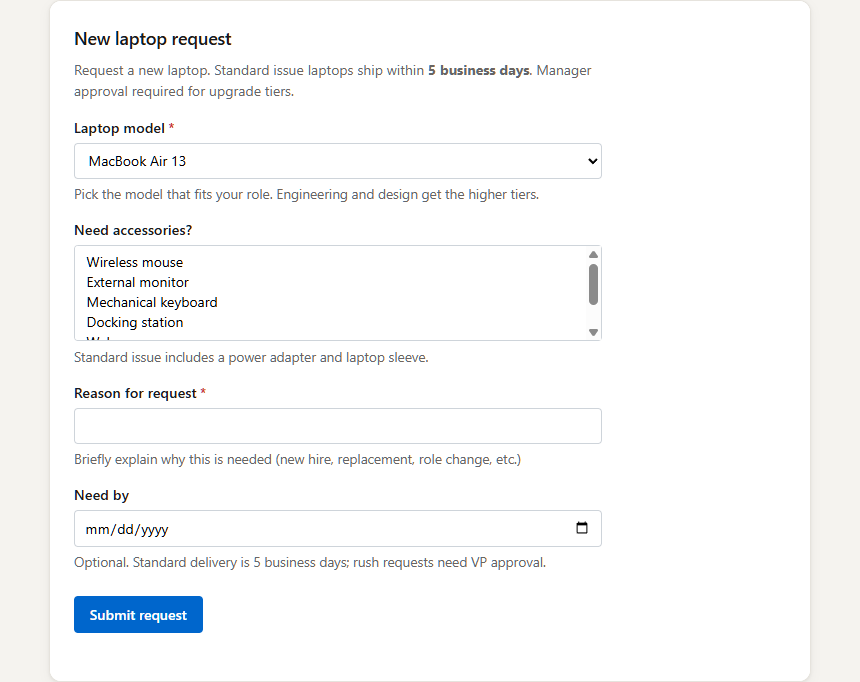
Bound to swsd_get_catalog_item. The first widget that calls back into the server. Renders the catalog item’s variables as a form: free_text becomes <input>, drop_down_menu becomes <select> with the catalog’s options as choices, multi_select becomes a multi-select, date becomes <input type="date">, user becomes a typeahead. Required variables are marked with an asterisk; helptext renders below the input.
The Submit button calls app.callServerTool('swsd_create_service_request', {...}) with the form values mapped to the request_variables shape SWSD expects. Collapses the 4-round-trip workflow (“list catalog → get item → describe variables → submit”) to 2 (“list catalog → get item + submit from widget”).
custom-fields
Section titled “custom-fields”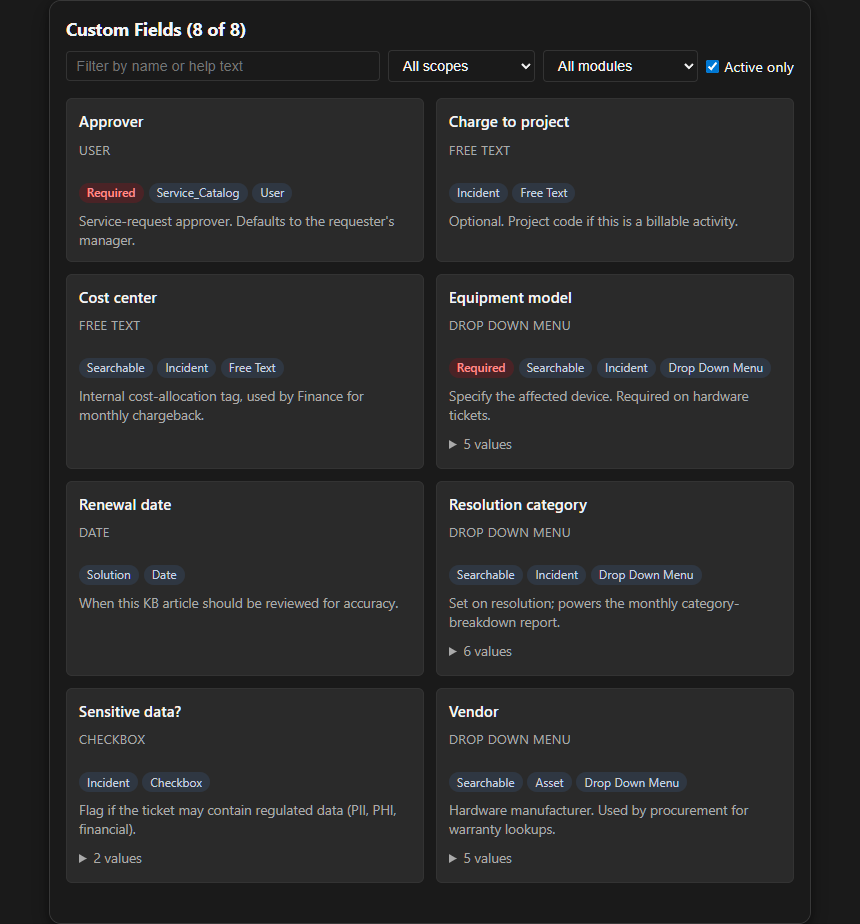
Light theme: custom-fields-light.png
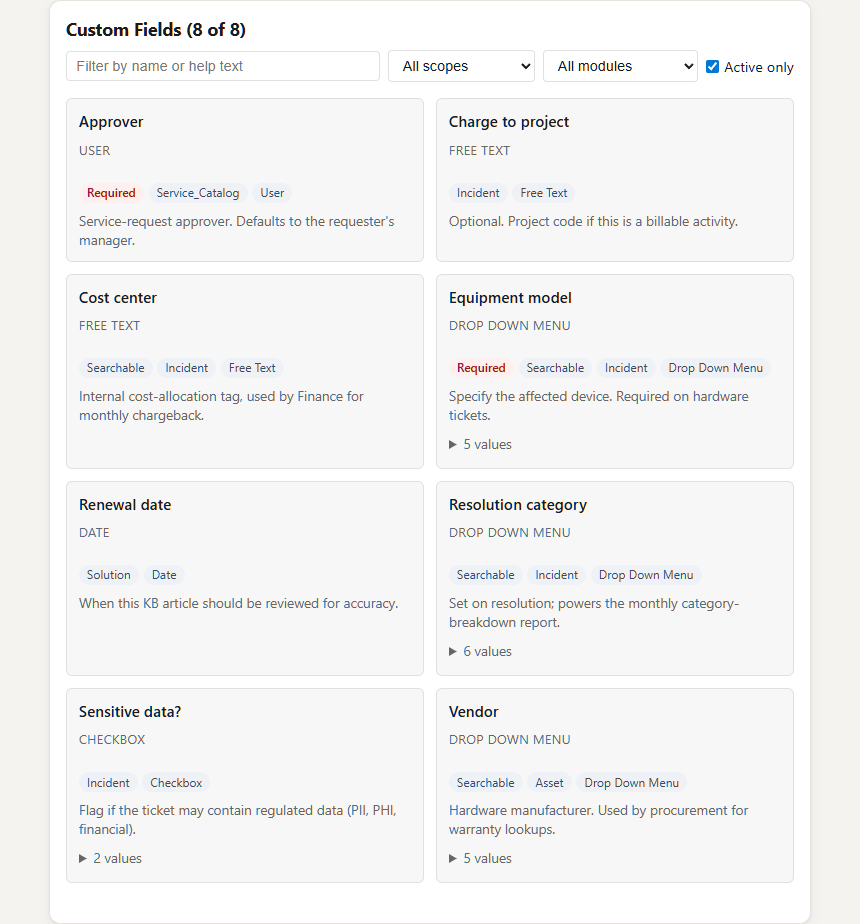
Bound to swsd_describe_custom_fields. Searchable explorer with a filter panel (scope: incident / solution / asset; module: text / dropdown / number / checkbox / date) and a results panel that shows each matching field’s name, type, allowed values (for picklists), category, and which entity types it applies to. Useful for KB authors and agents who need to validate field names + dropdown values before passing them to swsd_create_* / swsd_update_* writes.
Host compatibility
Section titled “Host compatibility”For the canonical client matrix covering both stdio MCP support and widget rendering, see the Compatibility page.
See also
Section titled “See also”- Tools reference: every tool, including which ones ship a widget
- Architecture: how the server, client, and SWSD API fit together
- SEP-1865 (MCP Apps spec): the upstream protocol